The Editor With Less
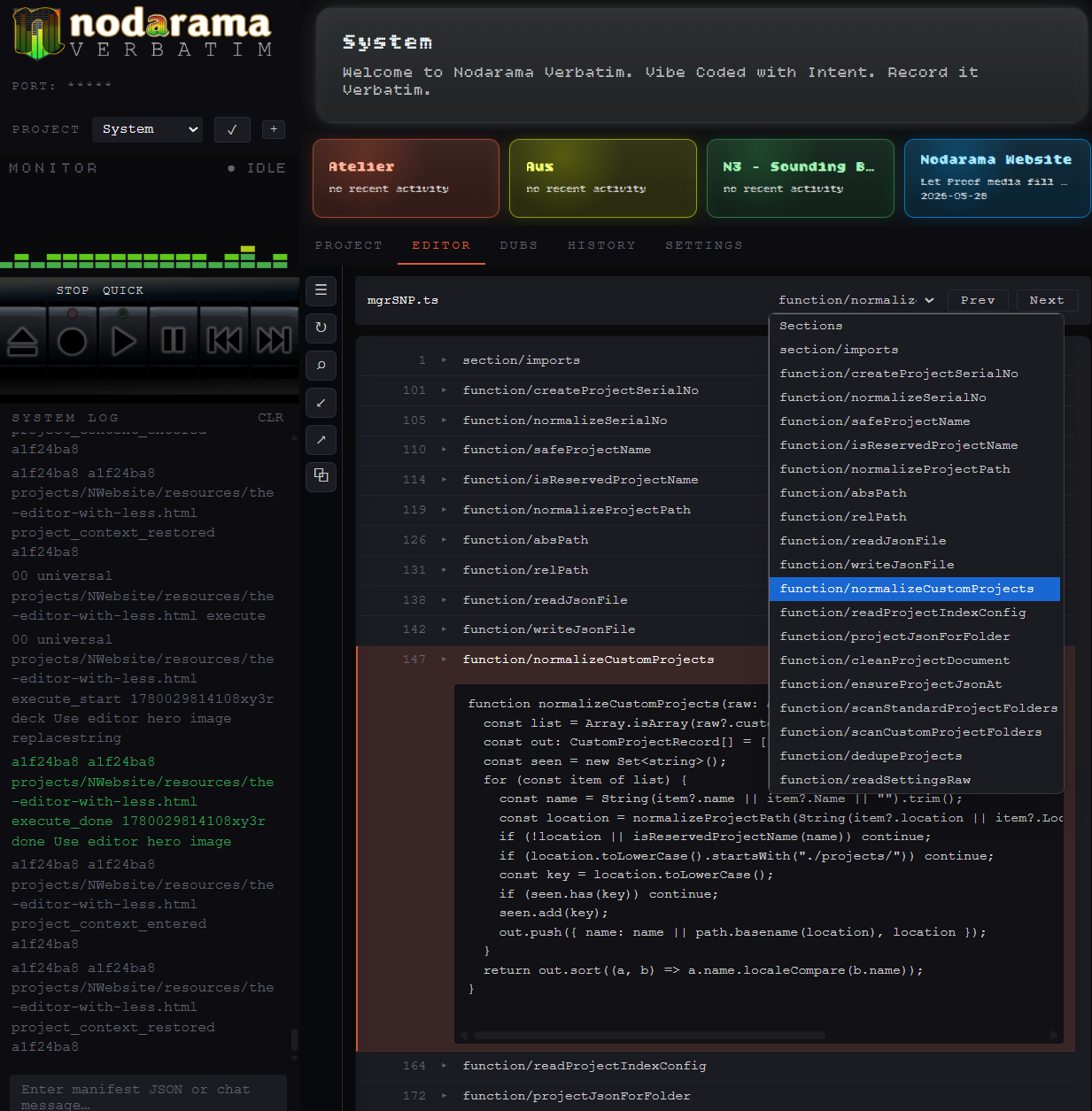
The Editor With Less — A Minimal Code Editor for Need-to-Know Coding
The Editor With Less: a minimal code editor for the moments when less is exactly what you need.
Some people search for the most powerful code editor. Others search for the simplest code editor because they already know what they want: fewer distractions, fewer panels, fewer features to learn, and a faster way to touch the one part of the code that matters.
Verbatim’s built-in Editor is minimal by design. It is not trying to replace a full coding environment. It is a basic code editor for need-to-know coding moments: when touching one focused section yourself is easier than adjusting your prompt for the fifth time.
Not a full IDE. That is the point.
There are already excellent full coding environments for people who want to live in code. Verbatim’s Editor is different. It is a lightweight code editor tuned for AI-assisted workflows, quick inspection, section replacement, and small manual adjustments.
It gives you the basics that matter: color coding, Find, Replace, section collapse, manual editing, and logged changes.
For need-to-know coding
Many AI-assisted builders would rather not touch code more than they have to. That is not a weakness. That is the reason the workflow exists.
But there are moments when direct control is simpler. A label needs to change. A layout needs one more adjustment. A button is almost lined up. The AI understands the idea, but the visual is still circling the target.
When prompting gets slower than doing
Prompting is powerful, but it is not always the fastest path for micro-adjustments. After three or four prompts trying to move something slightly, tighten spacing, change a class, or line up a visual detail, many users reach the same point:
I just want to find this part of the code and fix it myself.
That is where a simple code editor belongs inside Verbatim.
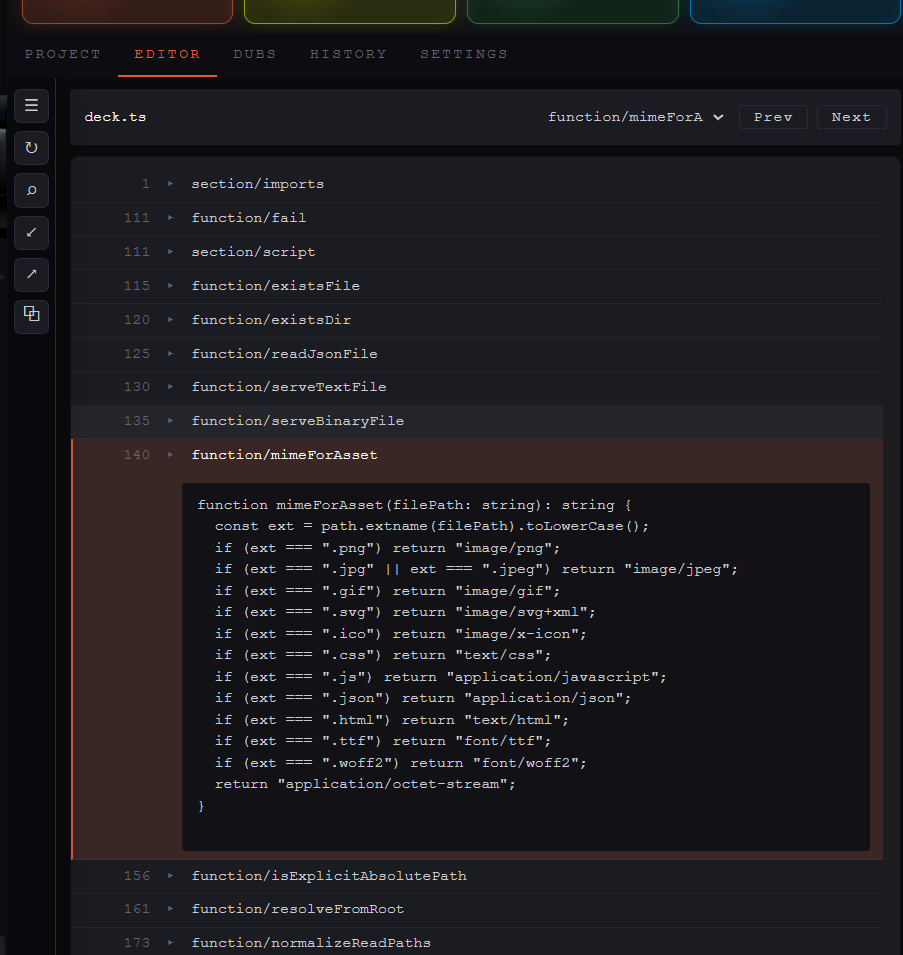
What the Editor is built for
Code collapse is the quiet superpower
The collapse feature is one of the most important parts of the Editor. It can compress a file into sections based on functions, indentation, or section headers.
That gives you a quick overview of a file without forcing you to read every line. You can see the shape of the codebase, identify the key functions, and open only the part that matters.
Full section replacement
AI coding is not always about replacing one line. Sometimes the cleanest change is an entire function, a whole section, or a large block of a file.
With collapse, you can isolate the section, compare it to what AI suggested, and replace it directly. You do not always need a rewrite manifest just to make a focused section-level change.
A basic editor for visual tinkering
Visual work often needs tiny adjustments. Spacing. Alignment. Text. A wrapper. A class name. A margin that needs to breathe.
Those changes can be tedious prompt by prompt. A minimal editor lets you find the relevant code, tinker until it looks right, and stay inside the same workflow.
Trackable manual edits
Manual edits should not disappear from the project story. Editor changes are logged in the system logs, so they remain visible, trackable, and reviewable.
This matters because Verbatim is built around controlled AI-assisted work. Whether a change comes through the recorder or through the Editor, the goal is the same: make the work easier to understand later.
Simple does not mean weak
A simple code editor can be powerful when it is designed for the right job. Verbatim’s Editor is not trying to do everything. It is trying to make one category of work easier: the need-to-know moments when you want enough code control to keep moving.
Less editor. More workflow.
Who this is for
This is for AI-assisted builders, founders, technical generalists, designers, operators, and learners who want to understand and adjust code without turning every task into a full developer session.
If you are searching for a basic code editor, simple code editor, minimal code editor, lightweight code editor, or easiest code editor because you want less friction, Verbatim was designed with that moment in mind.
Early beta note
The Editor is still in early beta. There are known issues with how some code is displayed, and those will be corrected as the system improves.
The goal is not a full IDE. The goal is a focused editor tuned for AI coding workflows: enough to find the part, make the change, log the result, and keep building.
Try Verbatim
Nodarama Verbatim gives AI-assisted builders a local workflow for project context, structured changes, manual review, editor adjustments, logs, and recovery-minded coding.
Explore Nodarama Verbatim