

Verbatim — Coding

VERBATIM

AI coding, with structure.

Build websites, apps, tools, and connected systems with AI while keeping intent, visibility, and control in the loop. Verbatim is built for people who want more than prompt-and-paste.

Current version: 0.0.0.1

The Monitor

Let’s start with convenience.

Ok GPT, that sounds good. Record that.

With GPT Helper companion app, Nodarama Go (incl.), Verbatim makes it easier to move from aligned idea to recorded execution.

Propose a change. Refine it. Just tell GPT “Record that.” and the systems harmonize.to transfer code from GPT to your project

Less copy-paste. Less friction and More direct progress.

Give AI-assisted work a clearer operating structure — so changes can be requested, reviewed, applied, traced, corrected, and recovered with less chaos.

Master at work

Who It’s For

Built for people learning fast with AI.

For builders who may not come from a traditional software engineering background, but are already creating real outcomes with AI.

Websites, apps, internal tools, automations, early software products. Especially useful once a project stops feeling like a single prompt and starts behaving like a real system with dependencies, revisions, and moving parts.

This is not about replacing your AI workflow. It is about helping your workflow stay coherent as the project grows.

Intent & Structure

Keep the project grounded before the code starts moving. Define purpose, priorities, and boundaries before changes are made.

Verbatim intent and project screen

Project Overview

See the project clearly before you change it.

Capture what the build is, what it is for, and what matters most before the next revision begins. Keep the larger shape of the project visible while changes are being made.

Direct Chat to Code

Move from request to revision more directly.

Use direct AI-connected pathways, guided manifests, or manual prompt-and-paste workflows inside a system built to help changes land with more structure and less guesswork.

Dynamic Lists for Intent

Keep living guidance close to the work.

Maintain the active lists that shape the build — goals, constraints, concerns, next steps, and reminders for AI — so the project stays aligned with your vision as it evolves.

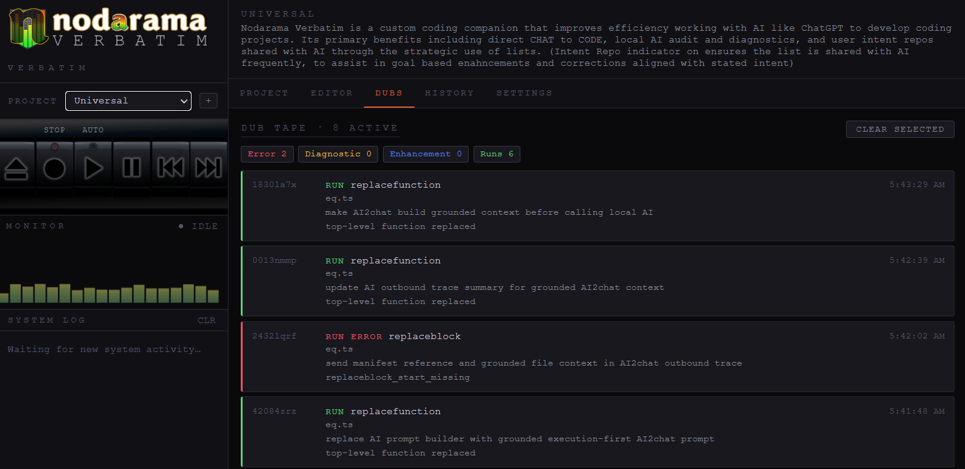
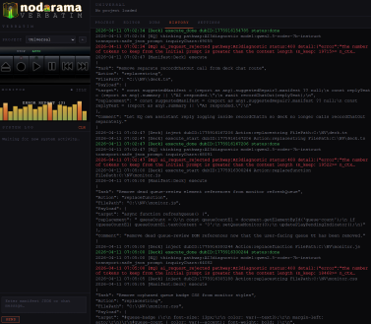
Recent Runs & Diagnostics

See what changed and catch drift early.

Review recent runs, logs, diagnostics, backups, and anti-drift checks in one place so you can trace changes, recover faster, and keep the system coherent as complexity grows.

Reel-to-reel tape machine

How It Works

Prompt simply. Apply changes with more confidence.

Verbatim keeps the front-end experience simple while giving the workflow more structure underneath.

  • Direct AI-connected workflows
  • Local model support through LM Studio
  • Manual AI paste-in workflows
  • Structured prompting and cleaner execution paths

Changes are introduced with more structure around where they land, how they are reviewed, and how they are tracked afterward.

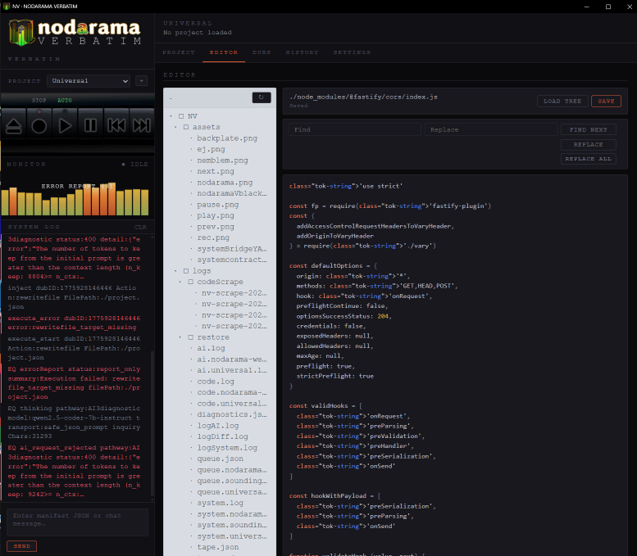
The Editor

Inspect, adjust, and continue building inside the same environment — no context switching.

Verbatim built-in editor
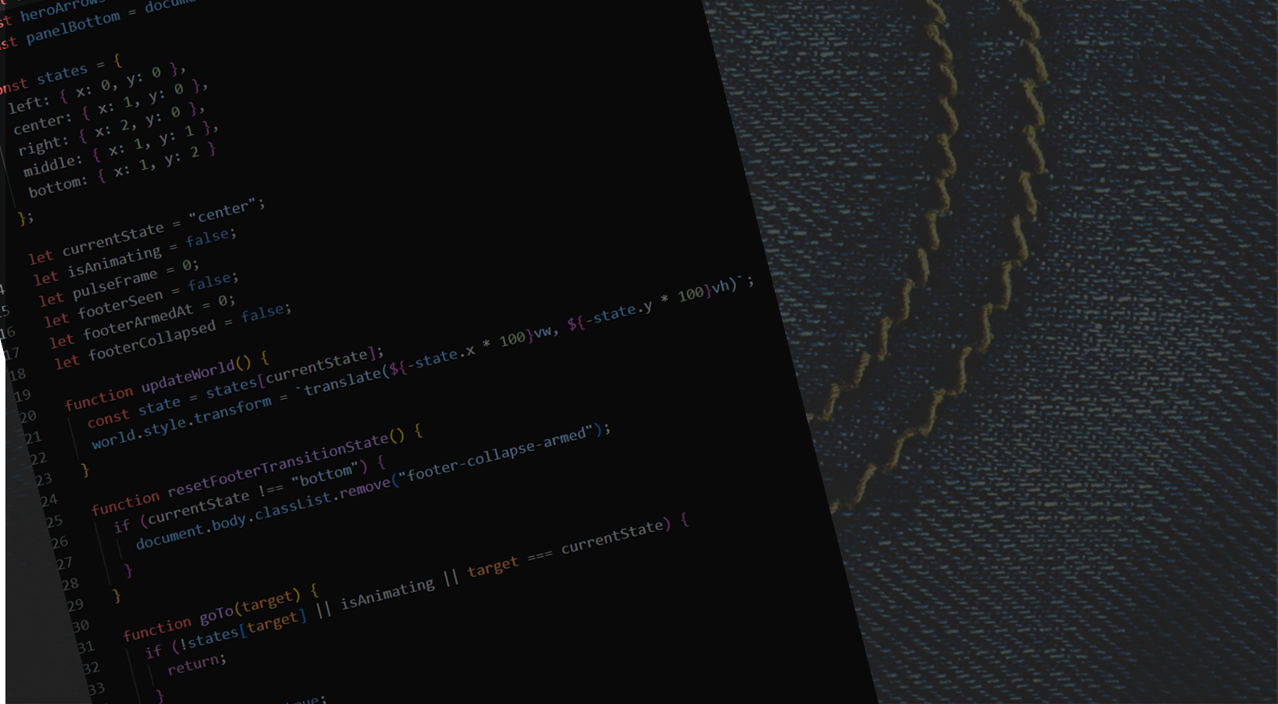
Code and denim atmosphere

Diagnostics & Recovery

See what changed. Catch what drifted. Recover what matters.

  • Recent Run View — actions and outcomes by run
  • Error Reports — where, when, and what kind
  • Real-Time Auto Corrections — bounded corrections before stopping
  • Anti-Drift Diagnostics — catch duplication and structural drift early
  • Enhancement Suggestions — surface improvements when the build is clean
  • Run History & Logs — system, code, AI, and diagnostic logs
  • Restore & Undo — restore points, recovery mode, undo support

Diagnostics

Real-time error reporting, auto-corrections, and anti-drift scanning built into every run.

Verbatim diagnostics panel

Run History

Every action recorded. Every session traceable. Know exactly what changed and when.

Verbatim run history

Why Verbatim over raw prompt-and-paste?

Prompt-and-paste is still a valid option. Verbatim makes even that workflow stronger by helping reduce drift and keeping backups, logs, diagnostics, and project reminders close at hand.

It is built for the stage where generation alone is not enough and the real need is structure around change, recovery, and alignment with your vision.

Pricing & Tiers

Choose the level that fits how you build.

Tier
Price
Details
Free Test & See
$0
  • 1 project, 1 intent list
  • 5 bridge uses per day
  • Max 2 files / 50 lines per run
Beta Founders Monthly
$14.99/mo
  • Full Verbatim access during beta
Standard
$19.99/mo
  • Full Verbatim access

Download

Get Verbatim. Start building with more structure, clearer intent, and better visibility into what your AI-assisted workflow is actually doing.

Version 0.0.0.1 is the current release.

FAQ

Do I need to be an experienced developer? No. Verbatim is especially useful for people learning quickly with AI who want more structure as projects become more complex.

Does Verbatim replace my AI tools? No. It helps organize and control how those tools are used inside a real project workflow.

Can I use local AI models? Yes. Verbatim supports local model workflows including LM Studio-based setups.

Can I recover from mistakes? Yes. Verbatim is designed around visibility, logging, restore support, and recovery-oriented workflows.